
Coming soon to iPhone
Everything you own, in every nook.
The effortless home inventory. Snap a photo and it's logged, with the receipt, serial number and value attached. So you can prove what you own when it matters.
No spam, ever/ Free to start/ Private by design
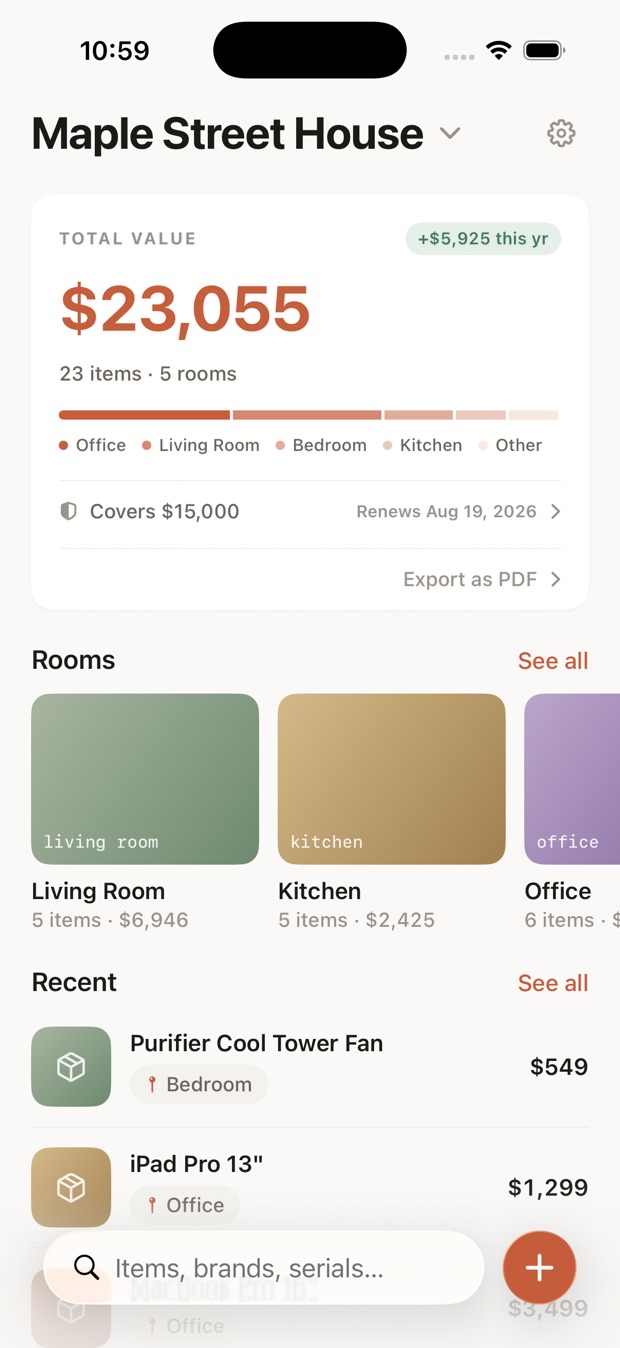
A record that builds itself
Three taps between an empty screen and a documented homeSnap it
Point your camera at anything you own. A name is all it takes to save. You can add the rest anytime.
It fills itself in
Scan a receipt and every item on it becomes its own entry, with the price, date, store and model filled in. Suggestions you confirm, never silent guesses.
Ready when it counts
Organized by room, always with you. For insurance, a move, or simple peace of mind.
Built to be trusted, not just tidy
What's insideYour policy covers $15,000. See the gap before a claim does.
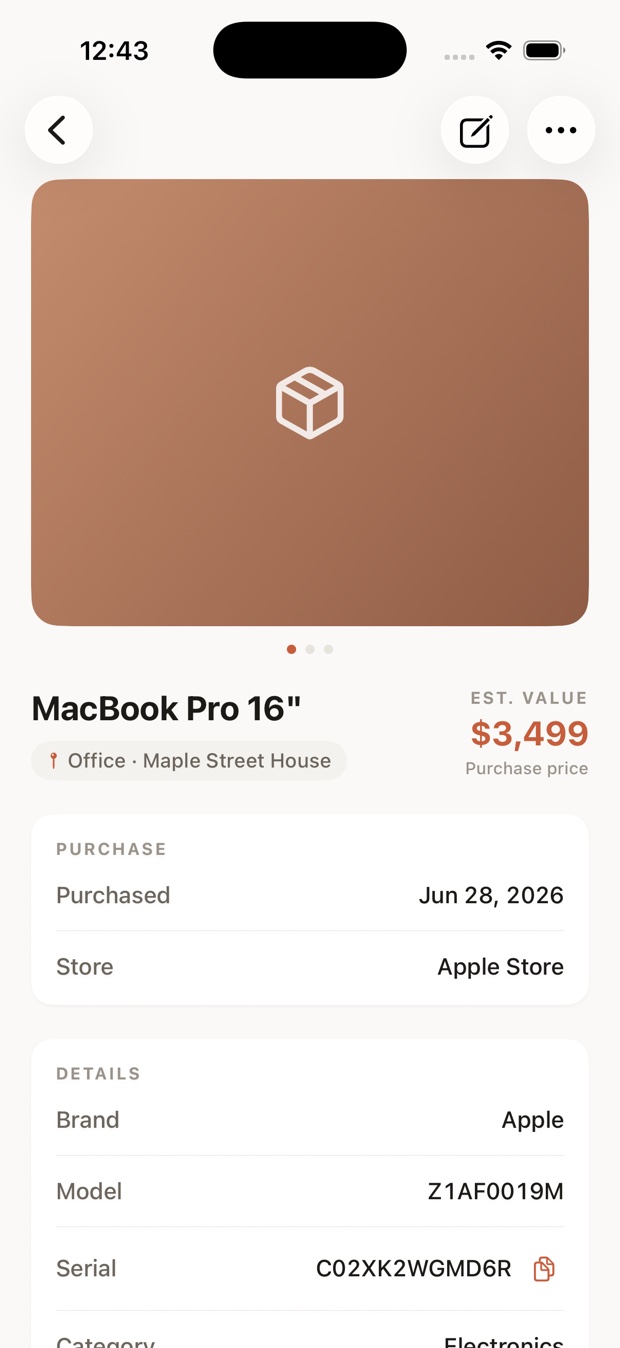
Receipts, warranties & manuals
The proof stays attached to the thing it belongs to. Nothing lost in a shoebox or a buried email.
Scan, don't type
Point the camera at a receipt, a spec label, even your policy's declarations page. The model, serial and specs fill in on their own, and you confirm them.
Private by design
Your inventory lives on your iPhone and your own private iCloud. Receipts you scan or forward are parsed and never stored, and your data is never sold.
Real value, tracked
What you paid, an appraisal, or the cost to replace it. Item by item, into a total you can trust.
A claim-ready PDF
Export a clean, itemized inventory the moment an insurer asks for one.
Forward it from your inbox
Email a receipt to your own private Everynook address and it becomes items, ready to review. PDF attachments too.
Know before the claim,
not after.
An inventory tells you what you own. Your policy decides what's covered. Everynook puts the two numbers side by side.
Scan your policy. One photo of the declarations page reads carrier, limits and renewal date in.
See the gap. The kind that only shows up when both numbers sit on one screen.
Claim-day card. Carrier, policy number, deductible and your agent's phone on one screen.
A comparison of your own numbers, not insurance advice — your policy's terms decide what's covered.
An $8,055 gap you'd rather find today.
Good to know
The questions everyone asks before they join.
When does Everynook launch?
How much will it cost?
Do I have to type everything in by hand?
Is my data private?
Can I use it for an insurance claim?
Can Everynook tell me if I have enough insurance?
Start with peace of mind.
Be first in.
Join the waitlist and we'll email you the day Everynook opens on iPhone.